In this article, you'll learn how to set up weekly defaults for a room. We'll show you step-by-step how to add booking times, assign pricing variants to them, and copy settings between days of the week.
The Weekly Defaults feature allows you to set a fixed schedule of available booking times for a room. This eliminates the need to manually add appointments each day.
Before you start
In order to add booking hours, you need to have previously created price variants that can be assigned to specific hours. You can find instructions for adding price variants in a separate article: Price variants
How to go to the weekly settings?
Go to the Booking Settings tab.
In the list, select the room for which you want to set a schedule.
Click the Edit button.
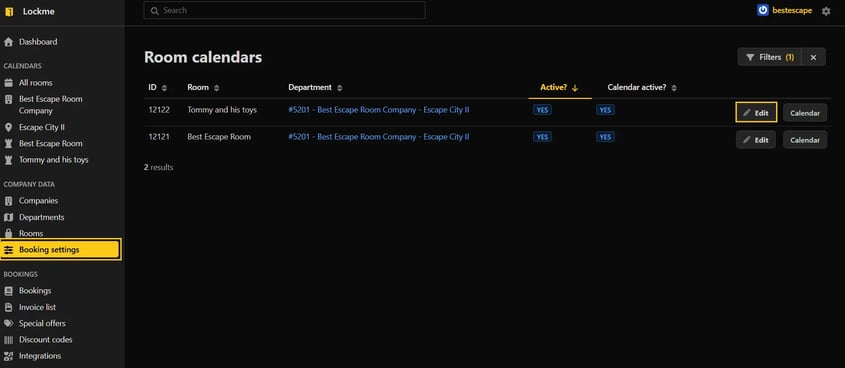

Then go to the Default week settings tab.
Adding booking hours
You can configure each day of the week separately.
Expand the selected day of the week.
Click the + icon to add a new hour.
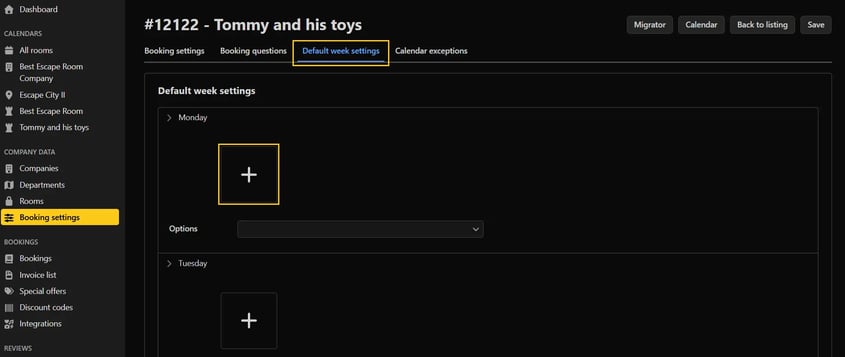

After adding the field:
Enter the start time of the game.
Select the pricing variants to be available for this hour.
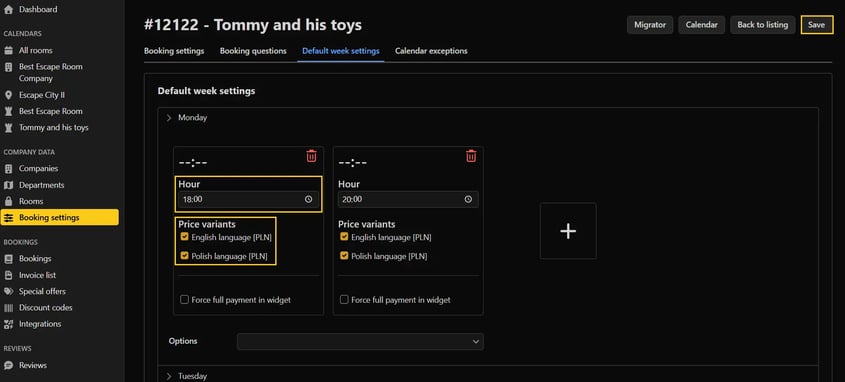
Optionally check the box: Force full payment in the widget.

When you are done with the configuration, click Save in the upper right corner.
Copying settings between days
If you want the schedule to look similar on several days of the week, you can copy the settings from another day.
Expand the selected day.
In the Options box, select the day from which you want to copy the settings.
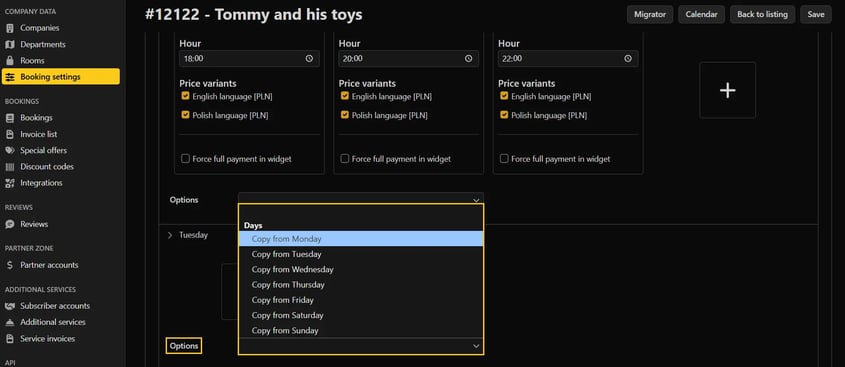

The system will automatically copy all hours and assigned price variants.
Additional information
Each hour can be deleted using the trash can icon.
Individual changes for specific days can be set in the Calendar Exceptions tab.
If you have existing reservations in your calendar and want to make changes to the schedule in the future, it is best to use the Migrator function. This allows you to safely transfer your calendar settings without risking the loss of existing reservations.
Do you have any questions?
Write to: support@lock.me or call our hotline: +48 577 502 902