In this article you will learn how to cancel a reservation on Lockme or reschedule an appointment. You will also check what to do if the cancellation option is not available and where to find contact information for the company.

    Have your plans changed? Find out how to cancel your reservation or reschedule your visit. Remember that the options available depend on the rules set by the specific escape room company.

    Step 1: Find your reservation

    1. Log in to your Lockme account.
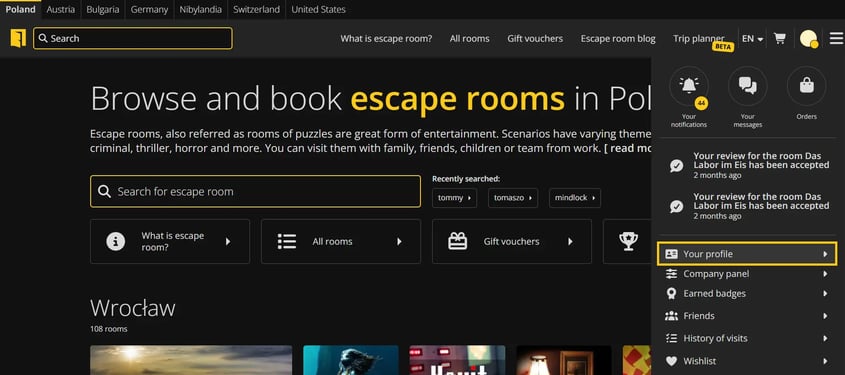
    2. Go to the menu (upper right corner).image
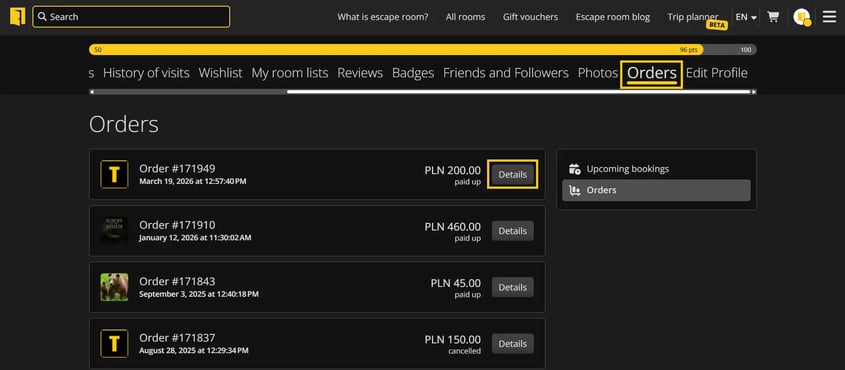
    3. Go to the "Your Profile" section, then "Orders".
    4. Click "Details" next to the selected reservation.image

    Step 2: Check the possibility to cancel

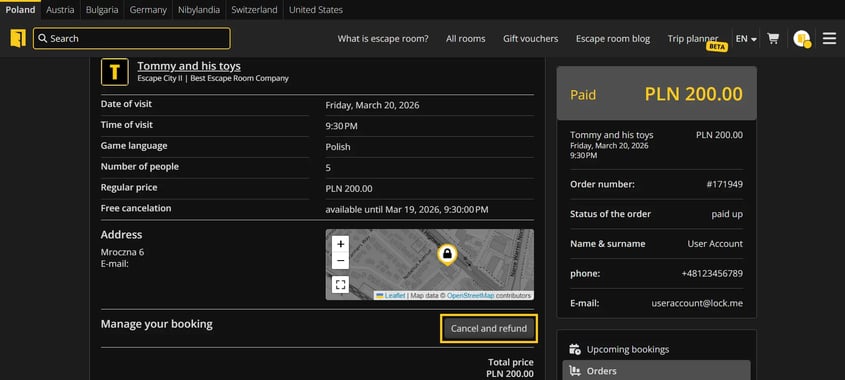
    1. If cancellation is available, click the "Cancel and refund" button.image
    2. Confirm the cancellation.
    3. After cancellation, you will receive an email confirmation.

    Remember: the possibility of cancellation depends on the rules set by the particular escape room.

    Step 3: When cancellation is not available

    If there is no cancellation button in the booking details, it means that:

    • the time for free cancellation has passed, or
    • the particular reservation is not subject to online cancellation.

    In this situation, contact the escape room company directly.

    Where to find contact information?

    You can find contact information:

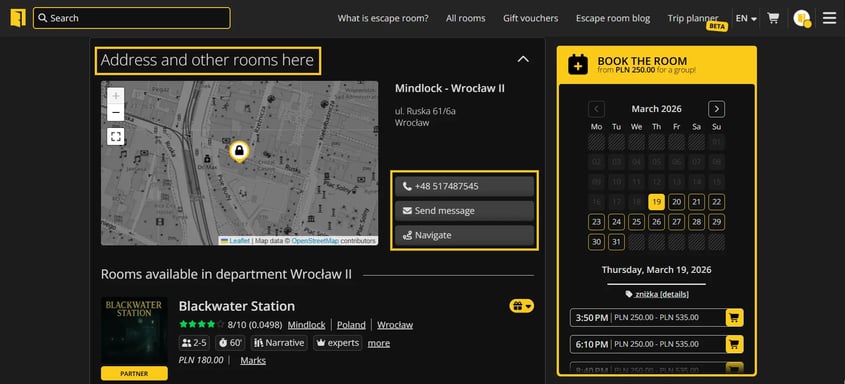
    • in the order details on Lockme.
    • on the profile page of a given escape room (address and contact section).image

    How to change the date of the reservation?

    Lockme does not allow you to reschedule your appointment yourself. To reschedule your reservation, contact the escape room directly and set a new date individually with the staff.

    Do you have any questions?

    Write to: [email protected] or call our hotline: +48 577 502 902

    Привіт, наш веб-сайт використовує файли cookie, щоб усі його функції працювали належним чином.

    На додаток до необхідних, ми також використовуємо сторонні файли cookie, щоб ми могли використовувати сторонні аналітичні, соціальні медіа або маркетингові інструменти. Це означає, що дані, зібрані за їх допомогою, також обробляються постачальниками цих інструментів.

    Чи даєте ви згоду на використання файлів cookie, крім тих, які необхідні для роботи сайту, як описано в нашій політиці конфіденційності?

    Налаштування файлів cookie

    Тут ви можете змінити детальні налаштування файлів cookie, які використовуються на нашому сайті. Якщо ви погоджуєтеся на певний тип файлів cookie, це означає, що ви погоджуєтеся з тим, що дані, зібрані ними, будуть використовуватися адміністратором цього сайту, а також постачальником конкретного інструменту, який ми використовуємо - як описано в нашій політиці конфіденційності.

    Цей тип файлів необхідний для належного функціонування нашого сайту. Вони використовуються, зокрема, для таких функцій, як запам'ятовування браузером обраної користувачем країни, товарів у кошику або колірної теми сайту.

    Ці файли дозволяють нам зрозуміти, як користувачі пересуваються нашим сайтом. Одним з таких інструментів є Google Analytics, який дозволяє нам збирати анонімну інформацію про кількість відвідувань, використання певних функцій або тип користувацьких пристроїв. Завдяки їм ми можемо адаптувати сайт до потреб і можливостей різних користувачів.

    Інструменти Google, TikTok, Facebook і Seznam.cz, які збирають інформацію про користувачів, яку ми можемо використовувати в маркетингових цілях.