In this article you will learn how to cancel a reservation on Lockme or reschedule an appointment. You will also check what to do if the cancellation option is not available and where to find contact information for the company.
Have your plans changed? Find out how to cancel your reservation or reschedule your visit. Remember that the options available depend on the rules set by the specific escape room company.
Step 1: Find your reservation
Log in to your Lockme account.
Go to the menu (upper right corner).
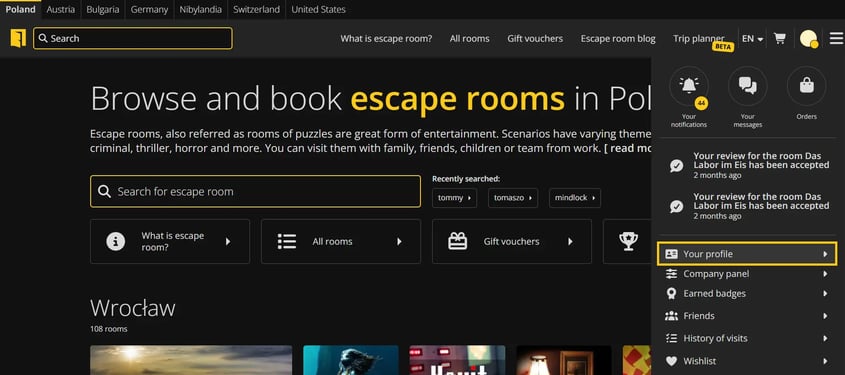
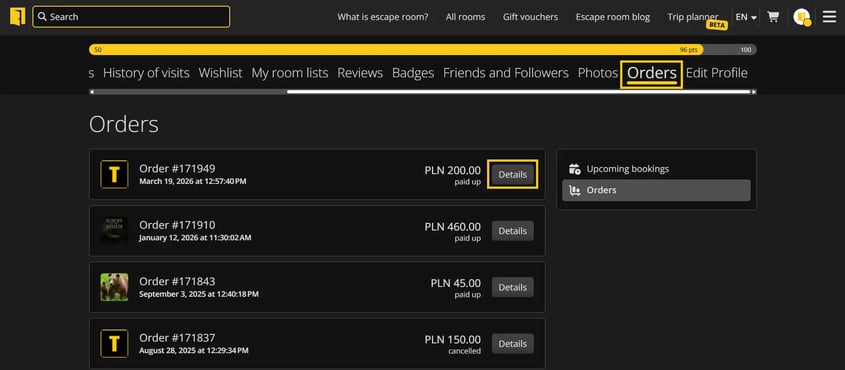
Go to the "Your Profile" section, then "Orders".
Click "Details" next to the selected reservation.


Step 2: Check the possibility to cancel
If cancellation is available, click the "Cancel and refund" button.
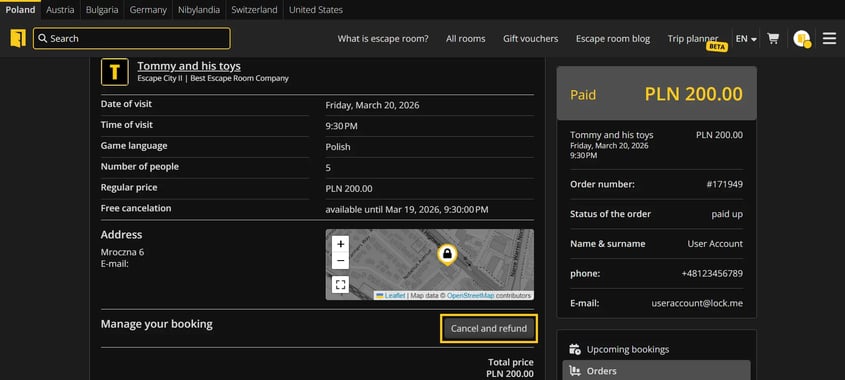
Confirm the cancellation.
After cancellation, you will receive an email confirmation.

Remember: the possibility of cancellation depends on the rules set by the particular escape room.
Step 3: When cancellation is not available
If there is no cancellation button in the booking details, it means that:
the time for free cancellation has passed, or
the particular reservation is not subject to online cancellation.
In this situation, contact the escape room company directly.
Where to find contact information?
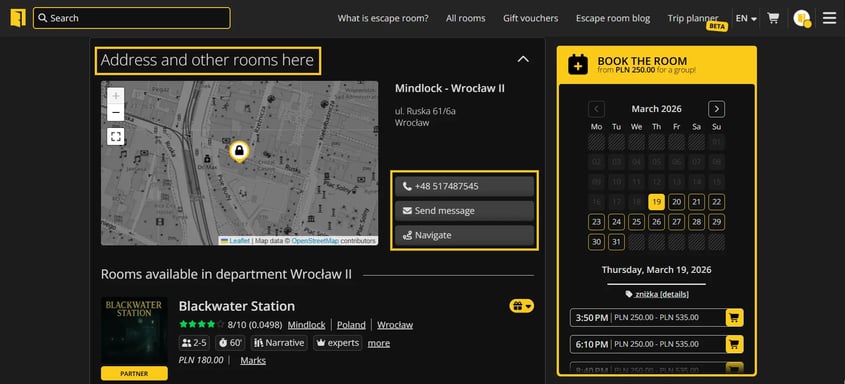
You can find contact information:
in the order details on Lockme.
on the profile page of a given escape room (address and contact section).

How to change the date of the reservation?
Lockme does not allow you to reschedule your appointment yourself. To reschedule your reservation, contact the escape room directly and set a new date individually with the staff.
Do you have any questions?
Write to: support@lock.me or call our hotline: +48 577 502 902