Want to book an escape room, but don't know where to start looking for a free date? It all depends on whether you already have a specific date or are just choosing a room. Here are two of the easiest ways to find out.
Finding a free date in an escape room at Lockme is quick and intuitive. You can do it in two ways, depending on whether you already have a specific date or are interested in a specific room.
Option 1: I know a specific date and look for free rooms
If you have a set date of departure (e.g., Saturday evening), use the search engine on the home page:
Select a city.
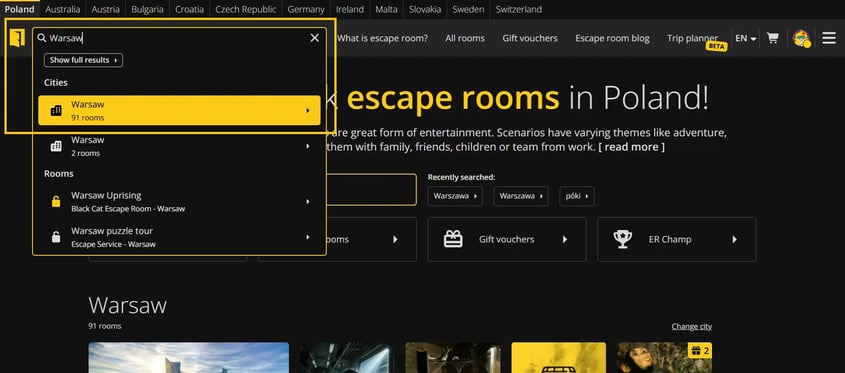
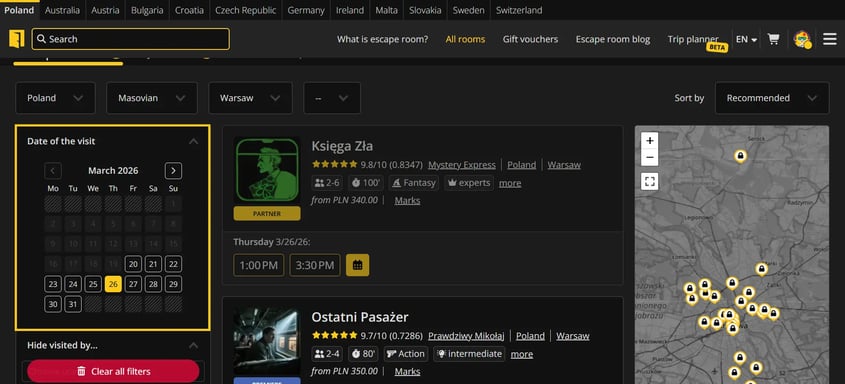
Use the calendar on the left to select the exact date of your visit.
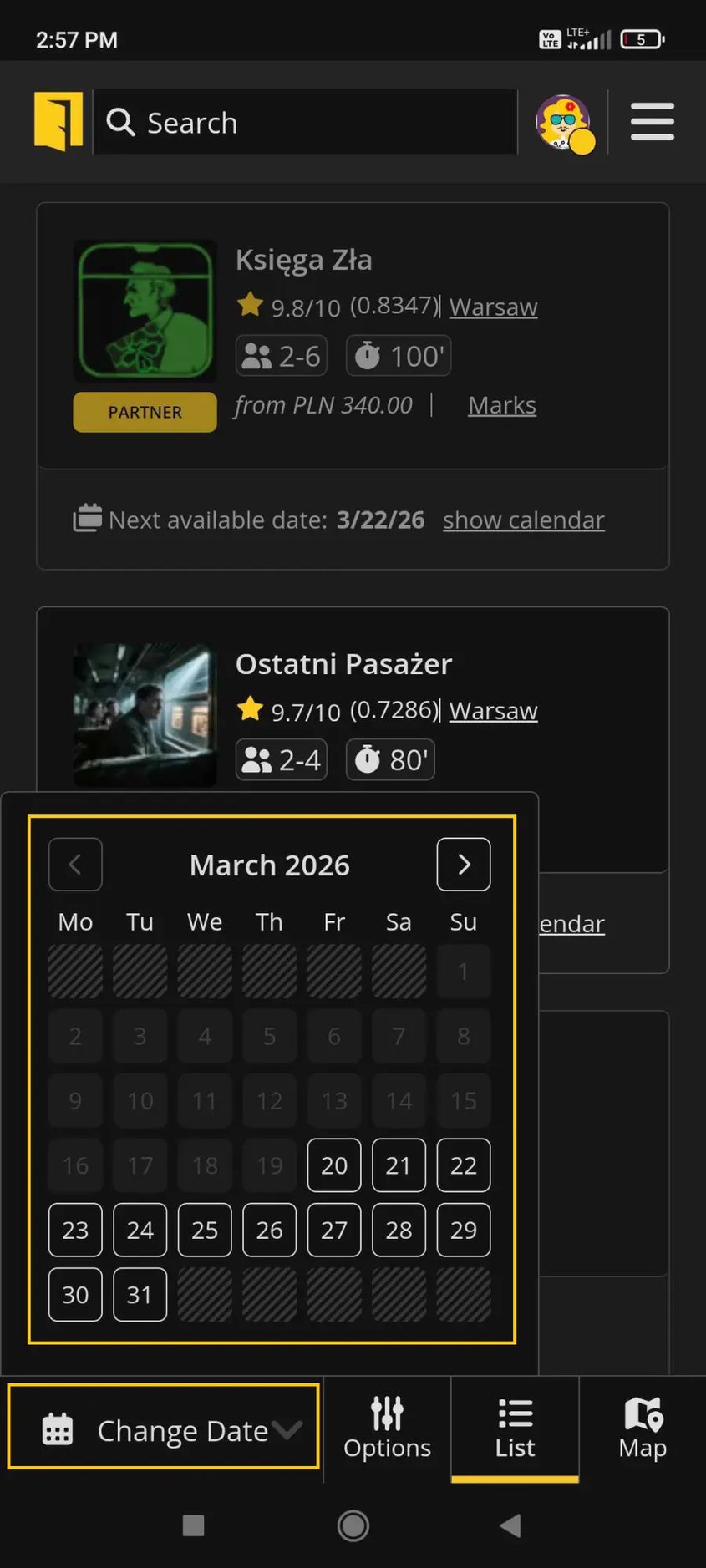
If you are using a mobile device, click the "Change date" button at the bottom of the screen, then select a date from the displayed calendar.


Lockme will display only those rooms that still have available hours on the selected date. Directly on the room card you will see tiles with specific hours (e.g., 4:30pm, 6pm), which you can select right away.
Option 2: I have a room selected and am looking for a date
If you care about a specific scenario:
Go to the profile of the selected room.
Select the day you are interested in from the monthly view.
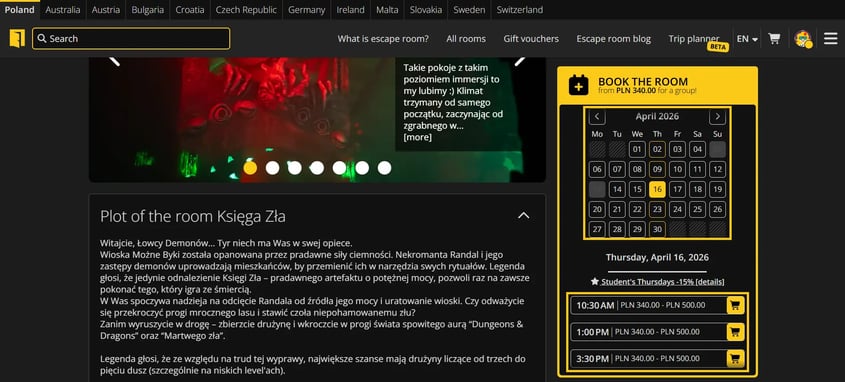
Have you found a matching time? Check out how to make a reservation in the next article: How to book an escape room through Lockme?

Once you select a date, the available hours will appear in tiled form. If a particular day is grayed out or you don't see the hours, it means there are no available dates.
What if there are no available dates?
If you don't see a date you're interested in, it doesn't always mean the room is fully booked. Often it means that the escape room has not yet made available the available hours for the day. In such a situation, it is a good idea to contact the escape room directly. You can find contact information:
on the room's profile under "Address and other rooms",
or on the partner's website.
Do you have questions?
Contact us at: support@lock.me or call our hotline: +48 577 502 902