In this article you will learn how to book an escape room on the Lockme platform step by step.
The Lockme platform is the easiest way to find and book the escape room of your dreams. The process is quick and intuitive, and you'll get everything done in just a few simple steps.
Step 1: Find the perfect escape room
Use the search engine on the Lockme homepage to find the perfect room. Having trouble choosing? Read our guides: How can I filter rooms on Lockme? and How to compare escape rooms before booking?
Step 2: Choose a date for the game
On the profile of the room of your choice, scroll down to the calendar section. Click on the day you are interested in, and then select an available time. For more information on checking available dates, see the article: How to check available escape room dates?

Step 3: Specify the details of your visit
After selecting the time, configure the booking details.
Select the language of the game.
Select a price variant.
Specify the number of players.
Click "Book this time" to proceed.
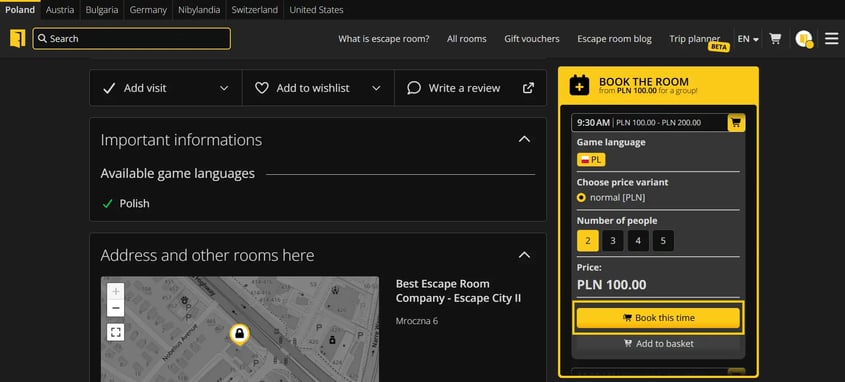

Step 4: Complete the details and pay for the reservation
On the summary page, complete the data and proceed to payment.
Choose a payment method (e.g., quick transfer or card) or use a Lockme voucher.
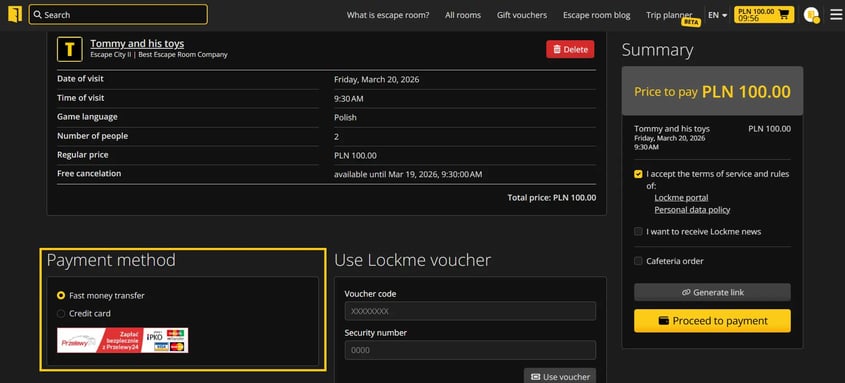
Enter your contact information (first name, last name, email and phone number).
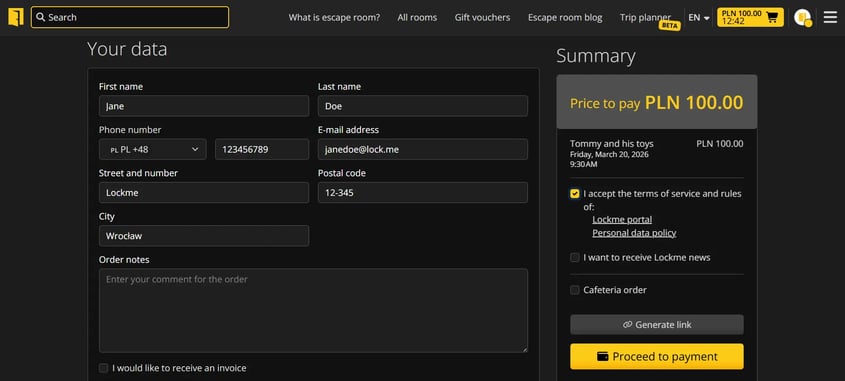
Optionally add notes to your order or select additional options (e.g. invoice).
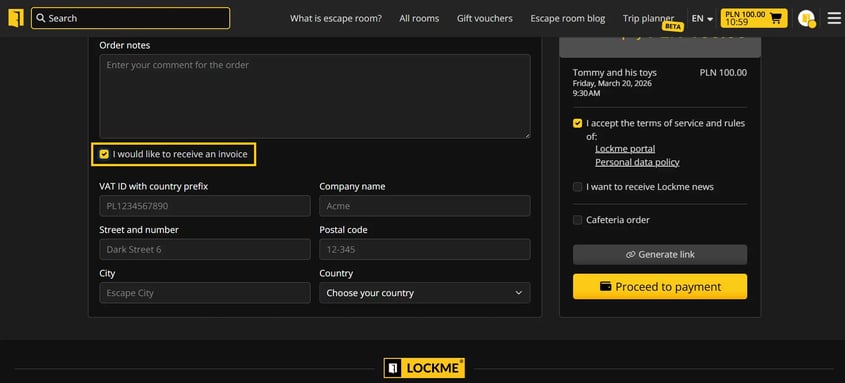
Accept the terms and conditions and click "Proceed to payment".


You will receive a booking confirmation with all the details to the email address you provided. Done!
Worth knowing:
With an account on Lockme, you have quick access to your order history, so you can check the details of your reservation at any time.
You can add several reservations to your cart at the same time, even from different companies and locations, and then pay for them in one order.
Want to cancel or change a reservation? Take a look at the entry: How do I cancel or change an escape room reservation?
You can find discounts to the rooms in the "Special offers" tab.
Do you have any questions?
Write to: support@lock.me or call our hotline: +48 577 502 902