If you believe that a review posted on Lockme violates the platform's terms of service, you can report it to the moderators. Below, we explain how to file a report, how it is processed, and how to communicate with a moderator.
What Can You Report?
You can report any content that you believe violates the platform’s terms of service. Before submitting a report, please review Lockme’s terms of service and describe the violation as precisely as possible. Simply disagreeing with the content or rating in a review does not necessarily constitute a violation of the terms of service.
How do I report a review?
You can report a review within 30 days of its publication. To do so, find the review you’re interested in and select the “Report Review” option located below it.

Once you’re on the form, describe the reason for your report in detail. In the report, explain why you believe the review violates Lockme’s Terms of Service. Then, accept the required disclaimer and submit the report.

What happens after you submit a report?
After submitting the report, you’ll receive an email confirming its creation. The person whose content was reported will also receive this email.
Do not reply to these emails. Responses sent via email are not part of the report and will not be considered by the moderator during the review process.
Only information and comments added directly to the report are considered during the moderation process.
How is a report reviewed?
The moderator has 14 days to begin reviewing the report.
During the review, the moderator may ask one of the parties for additional information or a response to the report. If you receive such a request, you’ll see a message from the moderator and a field to add a reply when you access the report.
You have 7 days to reply to the moderator’s message. If you do not reply within this time frame, the report will be automatically closed.
Therefore, please conduct all communication regarding the report being reviewed directly within the report itself, rather than through replies to emails you receive.
I don’t see an option to reply. What should I do?
If a moderator has asked you to reply to a ticket, but you don't see a field where you can add a reply after opening the link you received, make sure you clicked the correct link in the email. To go to the page where you can reply to the moderator, click the “Answer” button.
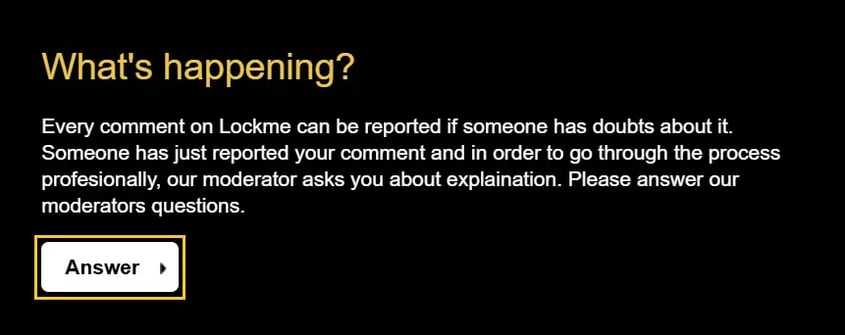
Also, check to make sure you’re logged in to the correct account. You must be logged in to the account that received the ticket or from which the ticket was submitted.
If you still don’t see the option to reply after following the steps above, please contact us at support@lock.me.

What should I do if a report has been closed?
If a report has been closed and you disagree with the moderator’s decision, you can appeal it. To do so, contact us at support@lock.me, providing information that allows us to identify the report.